Pirform 2026.1 On-Site Guidance For Ring, Lighting, and Radial Circuits
The first release of 2026 increases the intelligence built into Pirform. Our on-site cable-sizing guidance now covers ring, lighting, and radial circuits. Read on for more details.
Update 13 February: Improved wiring type and reference method reporting, and a ring final circuit intelligence fix. See below for details.
Increased On-Site Cable-Sizing Guidance
We've covered ring final circuits for a while now. This release adds on-site guidance cable-sizing intelligence for lighting and radial final circuits.
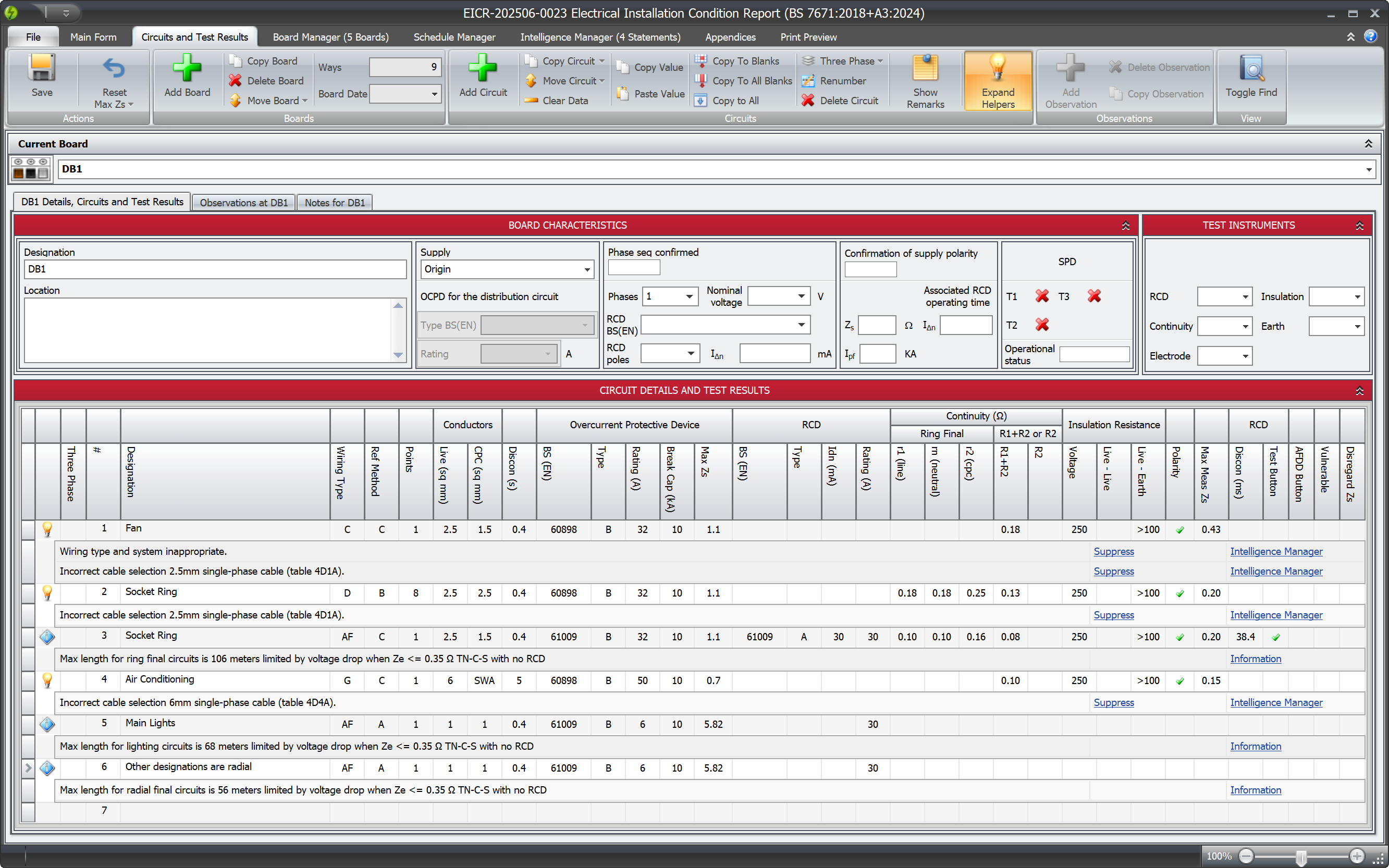
The image above shows lighting and radial final guidance for the last two circuits. Clicking on the information link will take you to the relevant table in our online documentation:
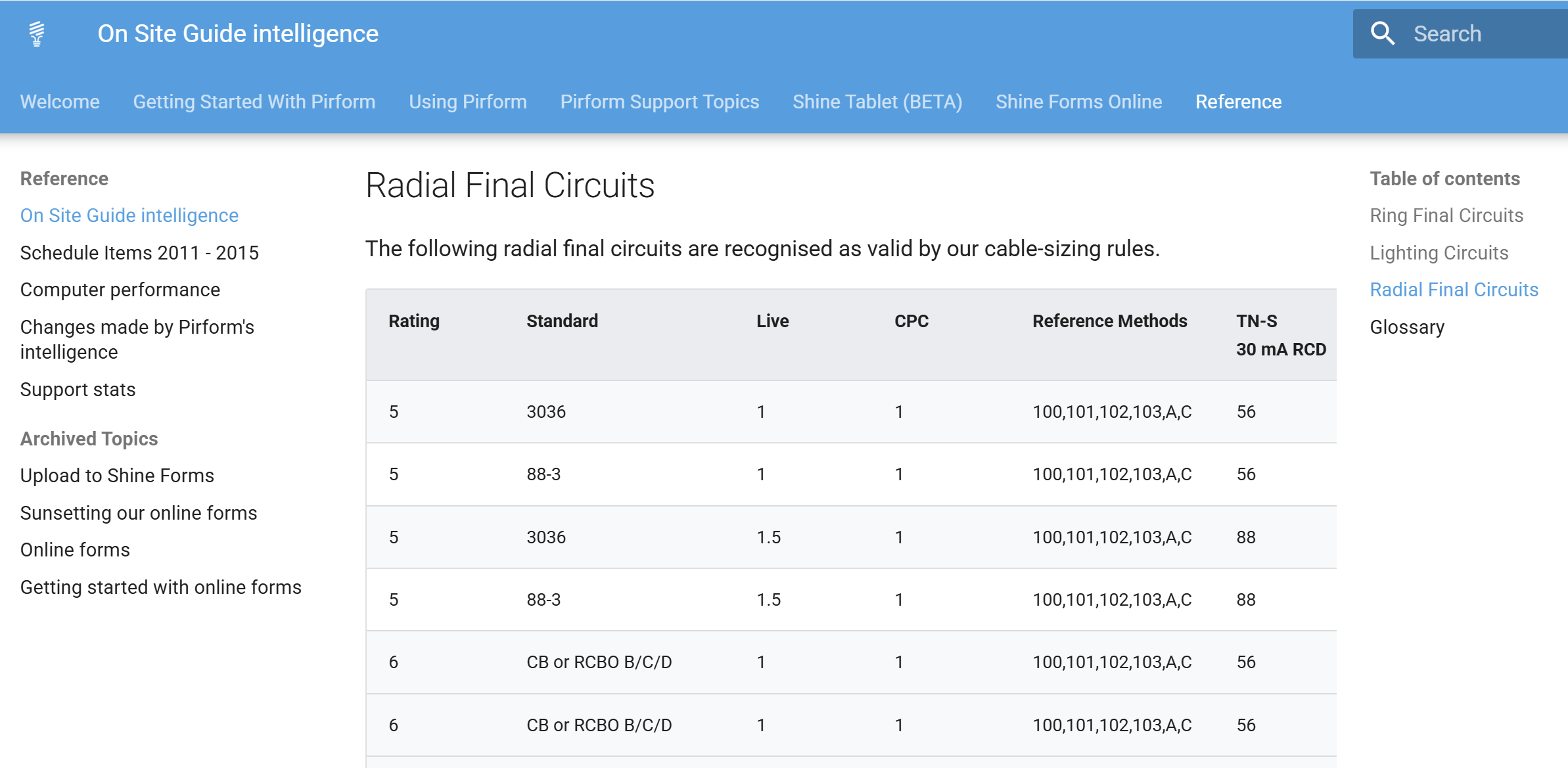
Read more about our Circuit Helper in our documentation here.
Flat twin & earth cables in Pirform
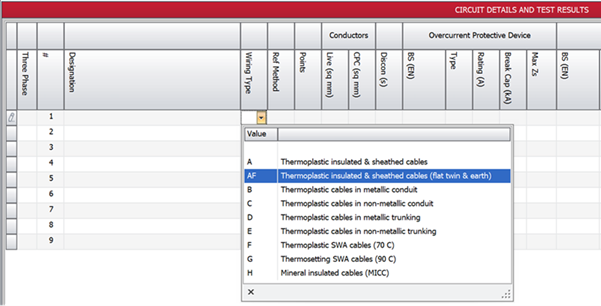
Note that the on-site guidance only applies to flat twin and earth cables, which are type AF in Pirform:
Consistent Intelligence
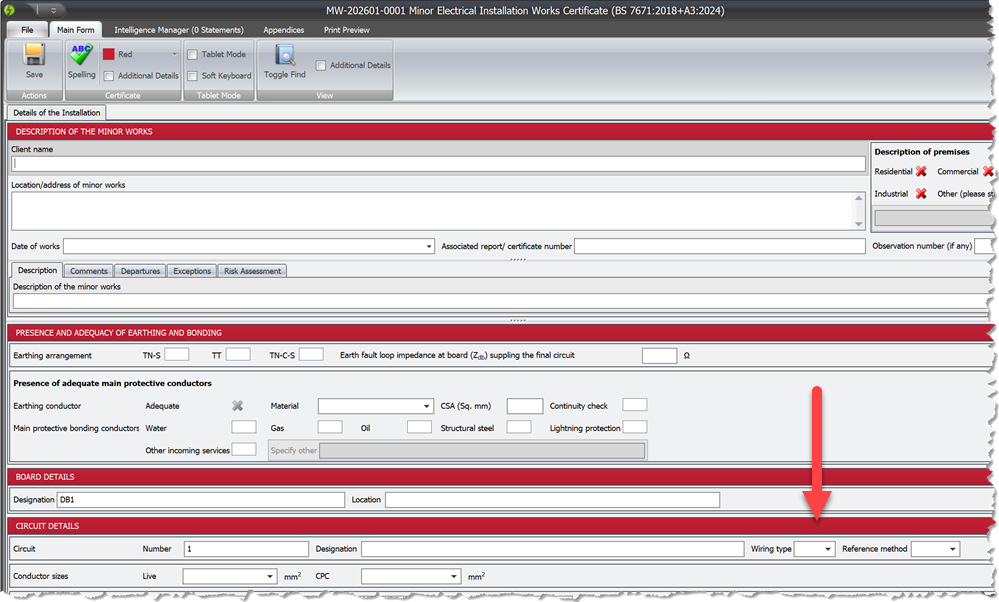
Of course, if you're working on an EIC or a MEIWC, you don't expect to see any intelligence, such as cable-sizing warnings. But, we've got your back, and all Pirform's intelligence now applies consistently over all electrical certificates and reports!
To that end, we've added wiring type to our MEIWCs:
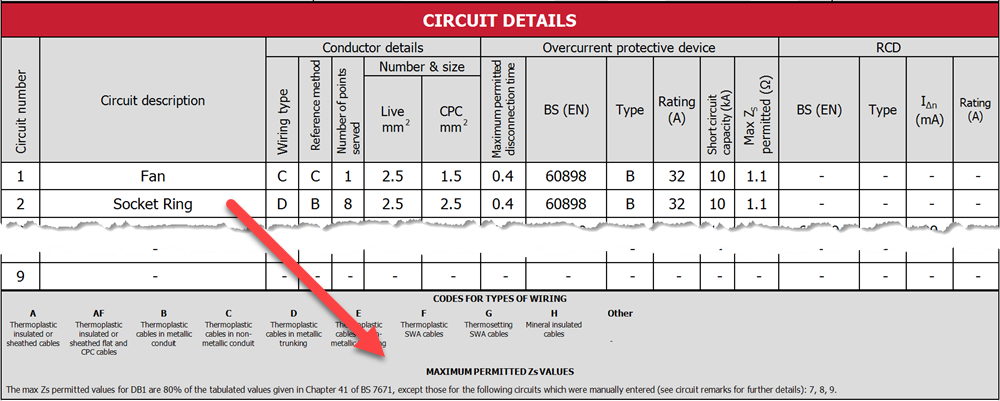
Reporting The Max Zs Multiplier
The PDFs for both EICs and EICRs now report the max Zs multiplier used, along with any user-defined values of each circuit:
Other Changes and Fixes
- Change: OneDrive folder detection uses commercial OneDrive locations first, then consumer locations.
- Change: improved the keyboard handling in circuit lookup controls.
-
Change: updated the application to use .Net 10.
-
Fix: EICR guidance for recipients was missing sections 11-14.
- Fix: observations from suppressed intelligence were reappearing after save and re-open.
- Fix: FA H6 was not confirming closing with unsaved modifications.
- Fix: FA H6 inspection wasn't allowing deletion or copying of observations.
- Fix: FA H6 was not correctly numbering observations.
- Fix: grid editors were not always responding to key presses, particularly after entering the grid by clicking on a cell border.
Update 13 February 2026 (2026.1.1825)
Fixed Incorrect Ring Final Cable-Sizing Warnings
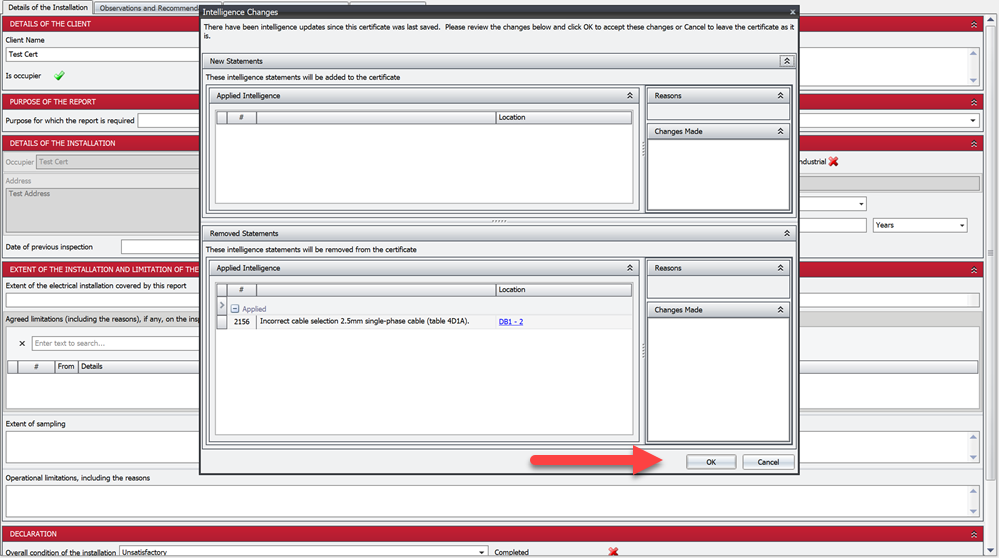
Ring final circuits that were not standard circuits from the On-Site Guide were incorrectly being flagged with cable-sizing warnings. This has been fixed.
If you open a certificate where this issue occurred, you'll see a dialog similar to the following. Click OK to accept the intelligence changes that remove the old, incorrect warnings:
Improved Reporting of Wiring Types and Reference Methods
We have improved the reporting of wiring types and reference methods in the PDFs for EICs and EICRs. The PDFs will now show the specific wiring type and reference method used in the board, along with detail of the how the max Zs values were calculated.

Other Changes and Fixes
-
Change: better spacing for EICR observations.
-
Fix: some dialogs were not centering correctly over parent forms.